

Space planning
Applying workplace design principles to workspaces.
This section explains how to apply principles of good workplace design to plan a workplace layout.
Consider the user
Understanding who uses the workplace helps ensure the right mix of spaces, access settings and technology. Consider the needs of:
- day-to-day users: people who work in the building regularly and can move freely through most areas
- visiting staff: people from another office, region or agency
- external guests: people from outside government who come in for meetings, interviews, workshops, or events.
Understand the building
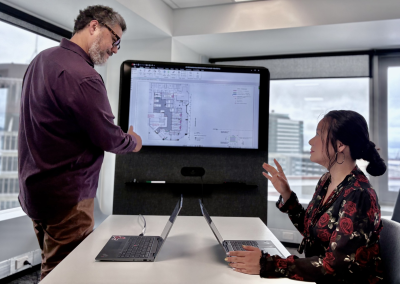
Designers discussing floor plan design for an existing building.
Before designing a new workspace or major refurbishment, agencies need to understand how the building’s structure affects what’s possible. Things to consider include:
- location of the core and other fixed elements
- depth from the core to the exterior façade
- extent of glazing and orientation
- floorplate shape and proportions
- floor loading limitations
- egress routes
- opportunities for voids (floor cut-outs) or double‑height spaces
- structural grid and other fixed infrastructure
- any base‑build elements that cannot be moved, altered, or connected to.
Space planning considerations
What to think about when planning where to locate spaces.
- Open‑plan by default: use open‑plan areas as the main workspace. This supports flexibility, visibility, and shared use of space.
- Clear zoning: organise workplace settings into focused, ambient, and active zones to guide behaviour and reduce noise or activity clashes.
- Signal transitions between zones: use changes in materials, furniture, lighting, layout, or thresholds to differentiate between quiet, ambient, and active zones.
- Integrate cultural requirements early: engage with cultural advisors and stakeholders at the start of planning. This ensures cultural narratives, spaces, and elements are integrated into the design and considered from the outset.
- Allow for different sensory needs: provide options for people who prefer softer lighting and calmer environments. For example, locate quiet areas away from high foot‑traffic, glare, or noise sources.
- Prioritise natural light for work settings used for long periods of time (e.g. workstations). Provide alternatives for people sensitive to sunlight or glare. Locate settings or rooms used intermittently throughout the day deeper within the floorplate.
- Provide enclosed spaces for focus and confidentiality: provide enclosed rooms for activities that need privacy or quiet (e.g. meeting rooms, focus rooms, phone booths).
- Distribute settings evenly: provide a balanced mix of frequently accessed settings across the floor so people don’t need to travel long distances for everyday activities. For example: place phone booths near workstations so people can quickly duck away to take a call.
- Consider user journeys: plan the layout around everyday routines. For example, lockers near entries/exits make setting up and packing down quick and easy.
- Adjacency and flow: place related spaces near each other. For example, put collaboration areas beside kitchens/tea points, or along main thoroughfares to support movement and social connection.
- Consider interconnecting stairs between stacked floors where practical to support movement. Balance this with acoustics, privacy, security, lease and cost considerations (including both installation and make‑good).
- Use premium locations to encourage space to be used as intended: for example, place open collaboration settings in visually appealing areas with features such as higher ceilings, and attractive views.
Quick space planning tips
Do
- Engage cultural advisors early so design of the space and how it is used can be intentionally shaped by cultural narrative and needs.
- Locate visitor spaces near building entrances or floorplate entry points for easy access.
- Buffer quiet zones from active areas using distance, layout, or acoustic treatment where appropriate.
- Place settings used for most of the day (e.g. workstations) along window lines and use areas with less natural light for temporary or low‑use rooms.
- Distribute frequently accessed settings evenly across the floor so people don’t need to travel long distances for basic functions.
- Consider building constraints (core depth, structural grid) early.
Don't
- Attempt to retro‑fit cultural elements into a design that is already fixed. This leads to poor outcomes, such as unsuitable locations, compromised cultural integrity, and spaces that feel tokenistic or disconnected from tikanga.
- Compel external visitors to access meeting spaces through staff areas, which could compromise the security and safety of staff and information.
- Place high‑energy collaboration and social spaces directly beside quiet‑focus areas and settings without any consideration for mitigating noise travel.
- Put amenities intended for periodic or low‑use (e.g. storage or meeting rooms) in areas with premium natural light and views, as this limits natural light from entering the workplace.
- Place settings that support daily work rhythms (such as phone booths, quiet rooms, and non‑bookable meeting spaces) far away from primary workstations. These should be close enough to support impromptu use.
- Push for layouts that fight against the base‑build.